
Here’s an extension of my earlier traffic generation post and I’ll go through some of the plugins I use on this blog.
Used correctly, you will rank highly on the blog directories and aggregators like Technorati and bloglines, and the results pages on the trinity of search engines (Google, Yahoo! and MSN Search or Live.com).
Here’re five of my favourite WordPress plugins:
Ready? Here goes:
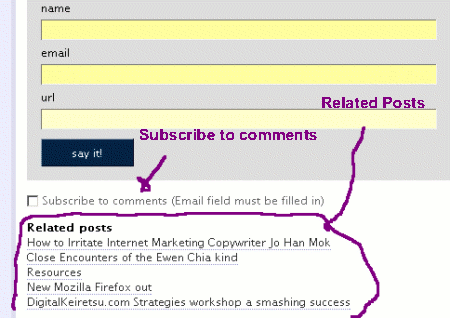
- Subscribe to Comments: One of the easiest plugins to set up and configure, this plugin sends an email notification to a blog reader when there’s a response to their comment. Good for encouraging return traffic and promoting discussions. You might expect 1 or 2 additional visits, and perhaps more if there’s a healthy discussion.
- Related Posts: I had been looking for this plugin for some time before I located it. It does a search of your blog content and appends a list of posts which might have related content. Again a blog visitor would likely be interested in the related posts and read them. There’s another plugin Terong related which gives you manual control over selecting the related posts, but with 300+ posts, it’s quite a bugbear and I can live with the small margin of error Related Post comes up with sometimes.
- Audio Player: One of the best plugins available. It allows you to play MP3 tracks. Very useful for podcasting, audio welcome messages, and I believe you can stream audio or music tracks from other websites too.
- DeUncategorize: If you’ve followed SecretBlogWeapon’s Search Engine Optimization (SEO) routines for your blog, you’d know that optimally you’d assign one category for each blog post. This’ll be so that the search engines spiders will see: “www.WhoIsAndrewWee.com/blogging/” and pick up “blogging” as a keyword and categorize it accordingly. Assigning multiple categories to a post will take away from the SEO benefits. DeUncategorize helps you by “unticking” the “Uncategorized” category the moment you assign a category (eg. Blogging) to your post.
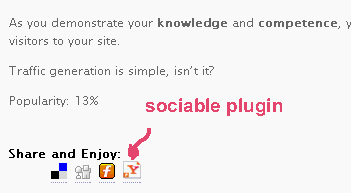
- Sociable: This inserts links to the social bookmarking services like del.icio.us, blinkbits.digg and others (they’re about 25). I don’t use this extensive, though it’s covered in some detail in SecretBlogWeapon. I’d keep it to a maximum of 5, although I’ve seen some go hog wild, displaying more than 20. It can be quite an eyesore.
Here’re some blogging packages to consider if you’re planning to get more (especially income) out of your blogging:
- AutoBlogIncomeGenerator: This is an auto blogging solution with revenue streams from both adsense publishing and affiliate marketing.
- SecretBlogWeapon.com: I’m top affiliate for 3 months running (August,September,October 2006) for this product which I feel is a steal considering it combines elements of a niche research, SEO guide, blog optimization and social bookmarking tool in one blogging package (It’s advisable you get Ewen Chia’s Secret Affiliate Weapon to round out the package).
I like this one. You’re doing awesome Andrew!
oops, I accidently posted on the wrong post.
I use Sociable a lot, it really helps.
I have a number of plugins that I havn’t had the time to fix yet.
Pingback: » Blog of the Week - Andrew Wee - The Online Business
Pingback: Robb DeVore » Wordpress Search Engine Optimization
Pingback: Blogging Resources For Jo Han Mok Telecall at Andrew Wee | Blogging | Affiliate Marketing | Social Traffic Generation | Internet Marketing
Pingback: SellATheme.com » Blog Archive » All Best Wordpress Plugins List
Pingback: Wordpress Plugins : Subscribe To Comments | Belajar Cara Membuat Blog Wordpress | Buat Duit Dengan Blog
great list of plugins tnx for share
Thanks for the good list with plugins, i have some favourites to, like the all known “All IN SEO “as well as the easy privacy policy plus SEO friendly images (got some great results with it)and finally pretty links (great for cloacking) affiliate links…
Thank you very much, enjoy blogging.
Hey would you mind stating which blog platform you’re using?
I’m planning to start my own blog in the near future but I’m having a hard time deciding between BlogEngine/Wordpress/B2evolution and Drupal.
The reason I ask is because your design seems different then most
blogs and I’m looking for something unique. P.S Sorry for
being off-topic but I had to ask!
Its not my first time to visit this website, i
am browsing this web page dailly and get good data from here all the time.
Your style is so unique compared to other folks I have read stuff from.
Thanks for posting when you have the opportunity, Guess I will just bookmark this
page.
Great beat ! I would like to apprentice while you amend your site, how could i subscribe for a blog site?
The account helped me a acceptable deal. I had been tiny bit acquainted of this your broadcast offered
bright clear concept